Confirmed support
Justin has confirmed the vehicle, ECU strategy, MazdaEdit license and wired interface.

Separate the read and flash stages, protect the original ROM and never write a file that has not been confirmed for the exact ECU.
Justin has confirmed the vehicle, ECU strategy, MazdaEdit license and wired interface.
Use a suitable battery stabilizer and a charged Windows laptop with sleep and automatic restart disabled.
Flash only the calibration supplied or approved by Justin for this exact original ROM and hardware setup.
Connect the wired interface to the OBD port and laptop. Switch the ignition on without starting the engine, turn off lights, climate control and audio, then open Flash Utility from the MazdaEdit toolbar.
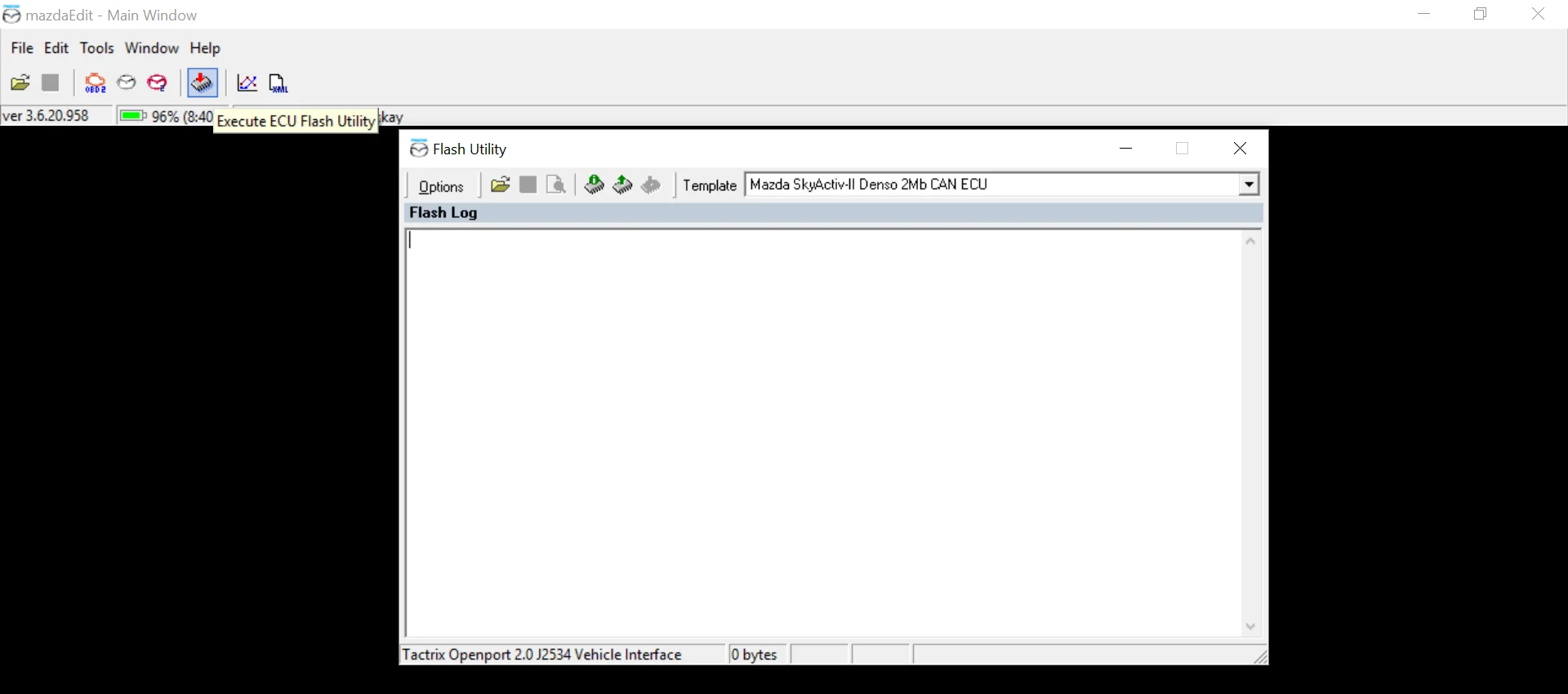
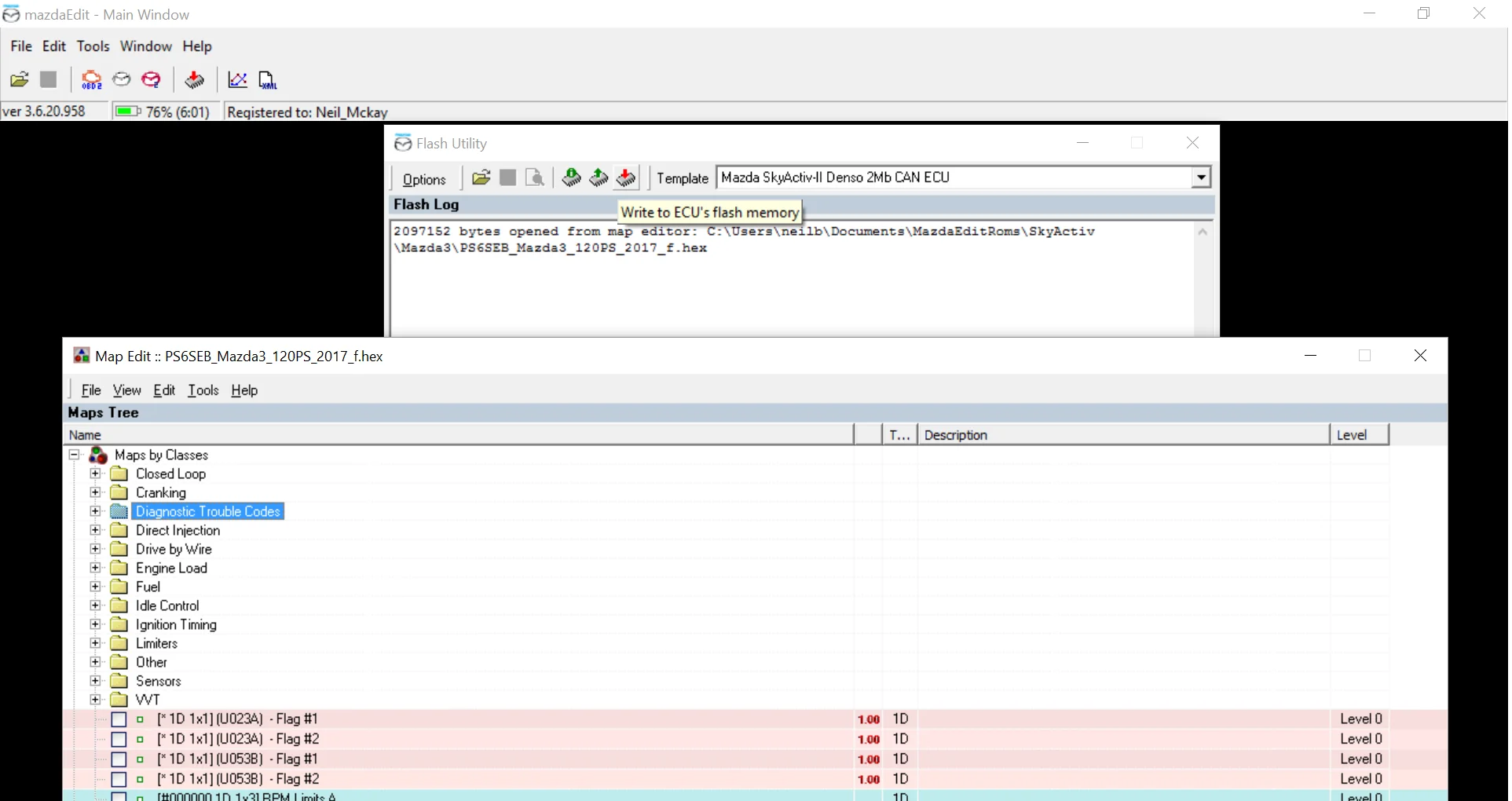
Choose only the ECU template confirmed for the vehicle, then start the read command. The screenshots show a Skyactiv-II 2 MB example and must not be treated as a universal template. Keep the ignition, cable and laptop untouched until MazdaEdit reports completion.
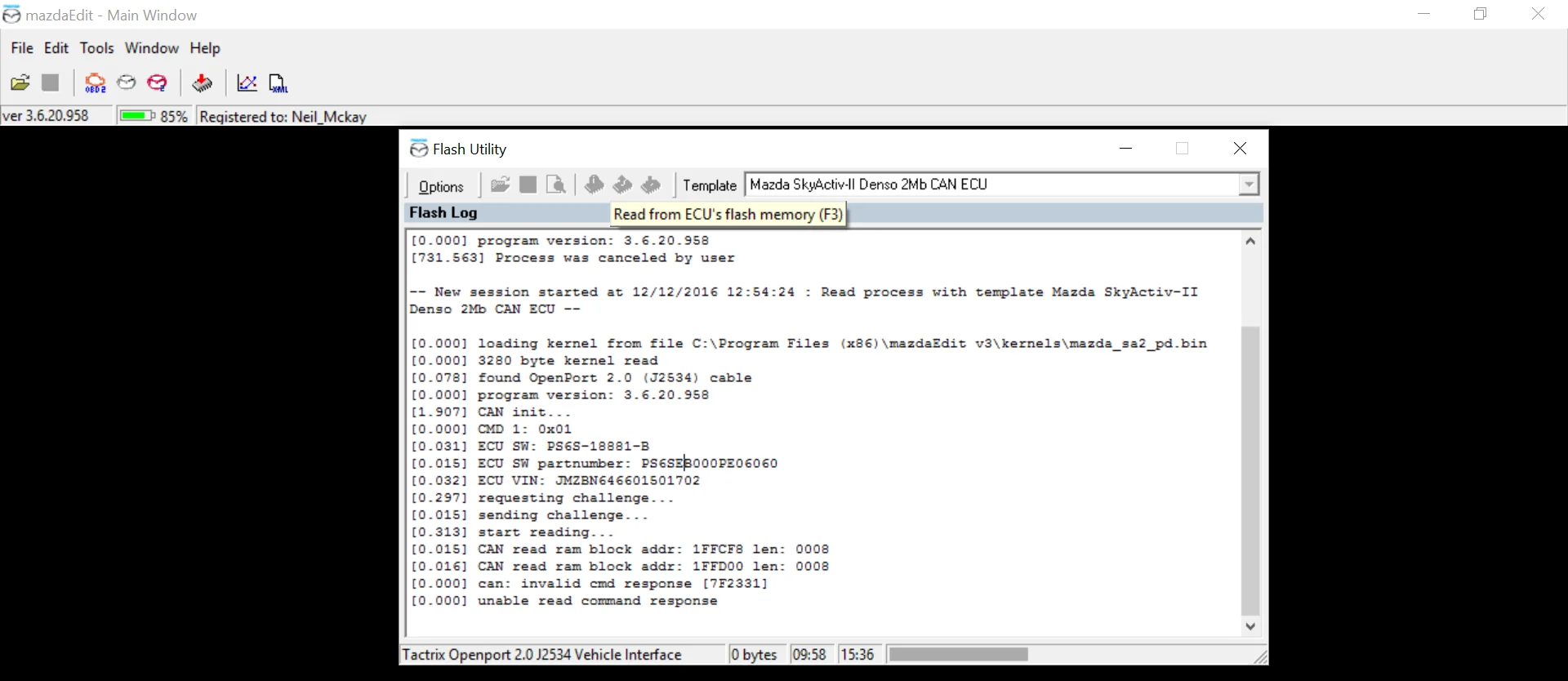
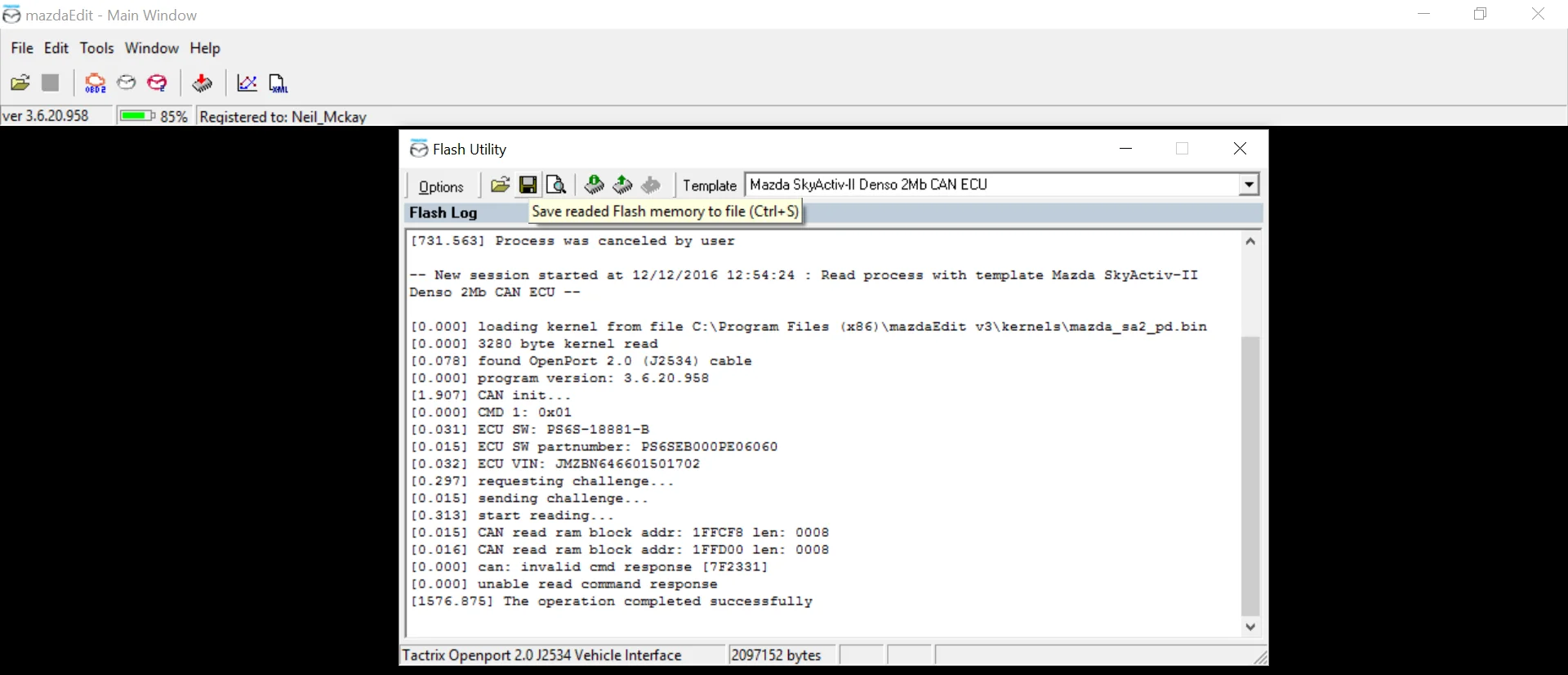
When the operation completes successfully, follow the ignition prompt and save the read with a clear vehicle, year and ECU identifier. Keep this original file unchanged and make a second backup before sending it to Justin.
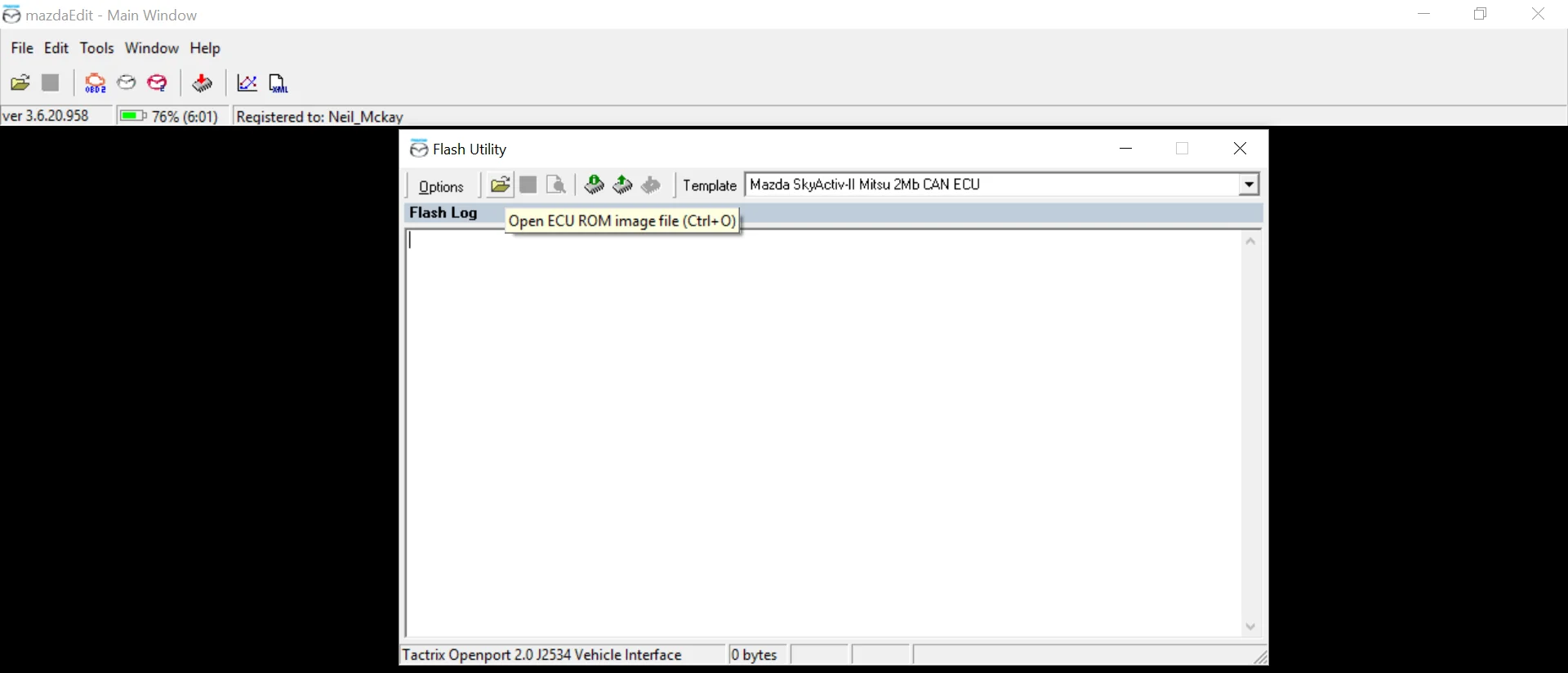
After receiving the correct calibration from Justin, reopen Flash Utility with the same confirmed template and select Open ECU ROM image file. Check the filename and vehicle details before continuing.
Select Write to ECU's flash memory and follow every on-screen instruction. Do not disconnect the interface, operate accessories, switch the ignition or allow the computer to sleep. Wait for the explicit success message before doing anything else.
If voltage becomes unstable, communication drops, the template is uncertain or MazdaEdit displays an unexpected error, do not guess or repeatedly cycle the ignition. Save the exact message and contact Justin before another attempt.
Workflow adapted for Mazda Sauce Tuning from the supplied MazdaEdit interface captures and the BBR GTI MazdaEdit reference · Reviewed August 2026.